

With the in-app wallet in the Coinfinity app, you have everything in one place: buy, receive, send and store your Bitcoin. Experience self-custody without any detours.
The Coinfinity wallet is self-hosted. This means that only you control the private keys. No one else has access to your Bitcoin. Not even us.
Another advantage of the integration is that you can buy Bitcoin directly into your wallet. It's quick, easy and without any additional technical hurdles. No manual signing or confirmation of a wallet address is necessary.
What happens to your wallet if you lose your smartphone or it breaks? We've thought of that too: with a wallet backup, you can secure your recovery phrase and import your wallet to another device at any time.
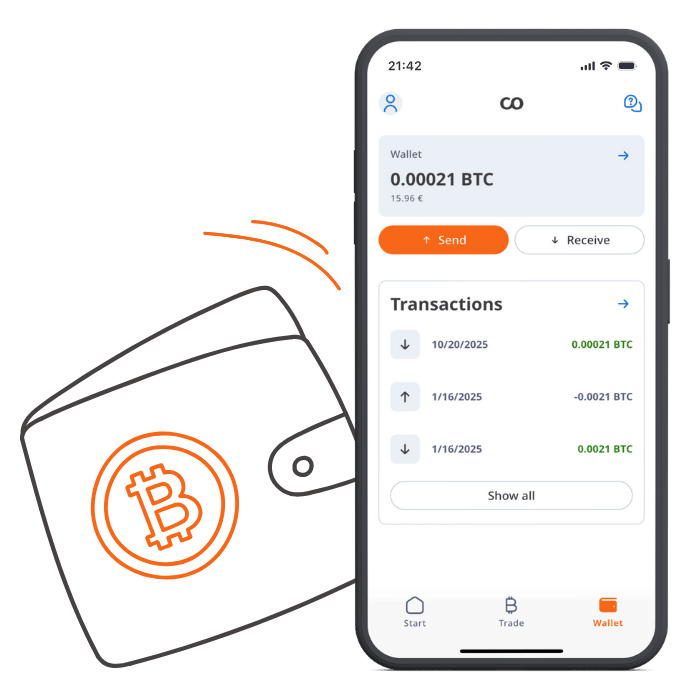

Our in-app wallet provides all usual functions of a wallet app. You can use it to store, receive and send Bitcoin as well as perform a UTXO-consolidation.
The Bitcoin wallet is your “digital wallet.” It manages your Bitcoin addresses and allows you to store, send, and receive Bitcoin. There are a variety of Bitcoin wallets that meet different requirements. Here is an overview of the different types of wallets:
Cold- or offline wallets (read more here)
Hardware wallets (read more here)
Software wallets (read more here)
An overview of other wallets can be found at www.bitcoin.org.
Our in-app wallet provides all usual functions of a wallet app. You can use it to store, receive and send Bitcoin as well as perform UTXO consolidations.
More benefits:
Your Bitcoin wallet can manage many different Bitcoin addresses, and most wallets even generate a new Bitcoin address for every transaction. The wallet therefore manages your Bitcoin addresses, which enable you to send and receive Bitcoin.
Please keep in mind that every Bitcoin owner is responsible for keeping their Bitcoin safe. The wallet types mentioned above offer their own advantages and disadvantages in terms of security, usability, and uses. Please give yourself a basic overview of the wallet offering and decide for yourself which form of storage is best suited to your purposes.
Here are a few basic safety tips from us:
Be sure to back up your wallet!
The vast majority of software and hardware wallets offer the option to create a backup copy. Be sure to use this option before you use it for the first time to protect your Bitcoin from loss or theft.
Use two-factor authentication (2FA) or a PIN!
Most software and hardware wallets offer more security through the additional use of a 2FA or PIN.
We recommend using these security features.
Keep your offline- or hardware wallet safe and secret!
Regardless of whether it is a card wallet or a BitBox: make sure that the wallet is protected against weather, fire and theft and is stored in a place that only you know.
Never share your private key!
In contrast to a public key, which can be shared to send and receive Bitcoin, you should keep your private key as secret as possible.
Always remember that with self-custody, the following applies: NOT YOUR KEY, NOT YOUR COINS